
Event timers on screen
Every live event with its map and the time it has left, plus what starts next.
Free overlay app for Windows
A small panel on top of ARC Raiders shows what’s live on each map, how long it has left and what starts next.
Windows 10 and 11, 64-bit.
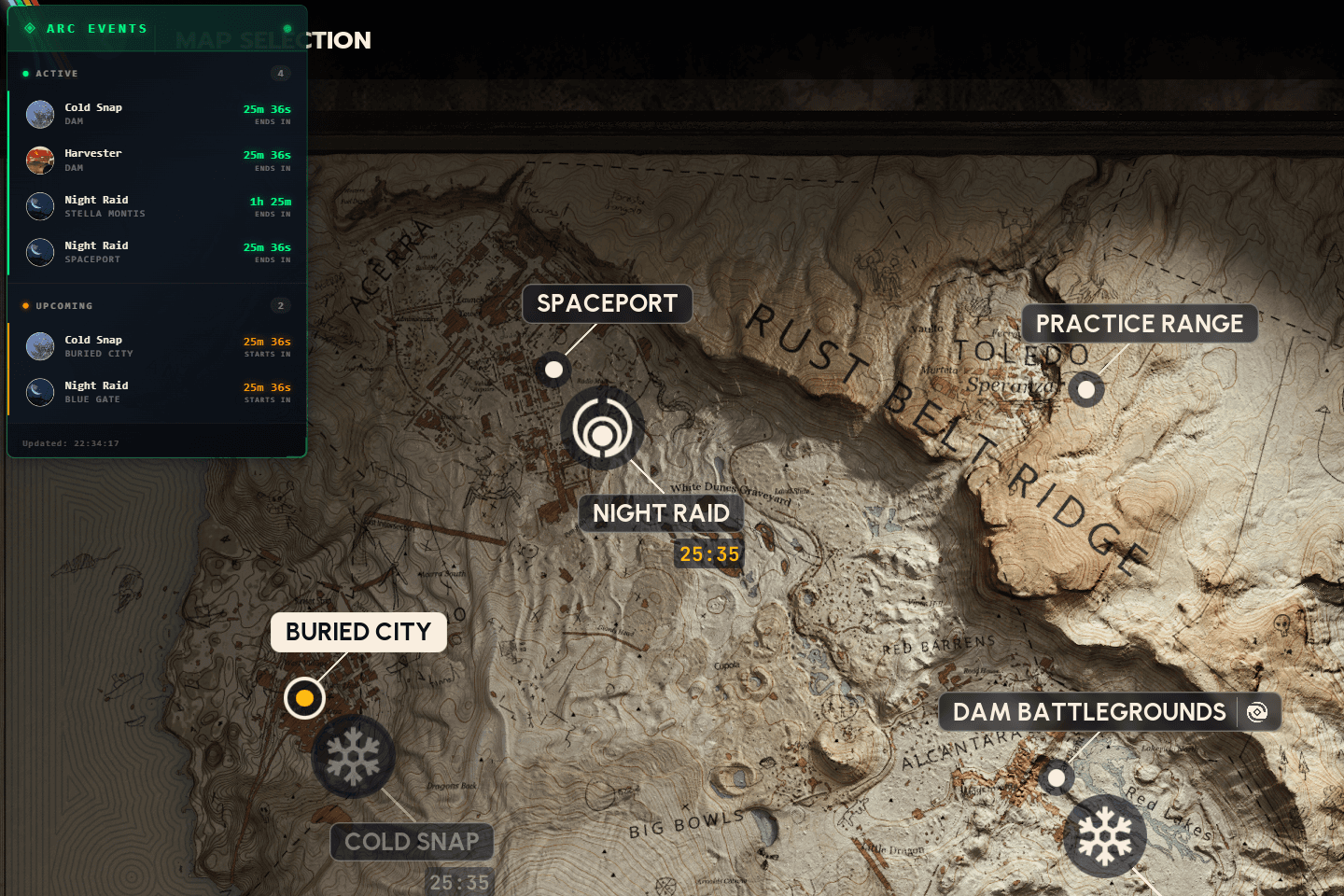
Live nowends in
 Night RaidStella Montis25:52
 Electromagnetic StormSpaceport25:52
 Husk GraveyardBuried City25:52
 Uncovered CachesBlue Gate25:52
 HarvesterDam55:52
Up nextstarts in
 Prospecting ProbesBlue Gate25:52
 MatriarchSpaceport55:52
Hide with Ctrl+O
Reminder on for Matriarch
Fires at 18:25, 5 min before it starts
How it works
Get the latest .exe from GitHub releases and run it to install RaiderBuddy.
Start RaiderBuddy and keep it running while you play. The events panel shows up on top of ARC Raiders.
Show or hide the timers whenever you like. No alt-tab, no leaving the raid.
Features
Six things the overlay does, all of them there to keep your eyes on the raid.
Every live event with its map and the time it has left, plus what starts next.
Press Ctrl+O to show or hide the panel. You never have to alt-tab out of the raid.
Fade the panel until the map shows through, or keep it solid.
Matriarch starting in 5 min
Matriarch at Spaceport
Get a heads-up right on top of the game before the events you care about, 1 to 30 minutes before.
Move the panel to wherever it covers the least of your screen.
RaiderBuddy updates itself when a new version is out. It needs internet for that.
Works with the web app
The web app has your raid briefing, interactive maps, this week’s trials, your quests, the cheat sheet and every item in the game. The overlay keeps the event timers in view while you play.
Open the web appFree for Windows 10 and 11. Not on Windows? The web app shows the event timers in any browser.
Windows 10 and 11, 64-bit.
RaiderBuddy for Windows puts small panels over ARC Raiders: Events, with what's live on each map, how long it has left and what starts next; Trials, with this week's objectives; and Your list, with the items your quests, upgrades and projects still need. One hotkey shows or hides the panels; each sits where you drag it and can be made see-through, so you never alt-tab out of a raid to check a timer.
The app's main window is the whole RaiderBuddy web app, and every tool also works in any browser at raiderbuddy.com: event timers for all five server regions, interactive maps, weekly trials, quests with your progress, the needed-items cheat sheet and blueprint tracker, an item database, a skill tree planner with all 48 skills, weapon stats with time to kill against each shield, and a tier list maker for all 26 weapons.
RaiderBuddy is free to download and use on Windows 10 and 11, and it updates itself. Premium adds event reminders, trial spawn locations, 50 private map markers, 5 saved builds, no ads on the website, and in My Raider every raid you sync, season stats, stash advice and the sync when you close ARC Raiders; every tool stays free.


